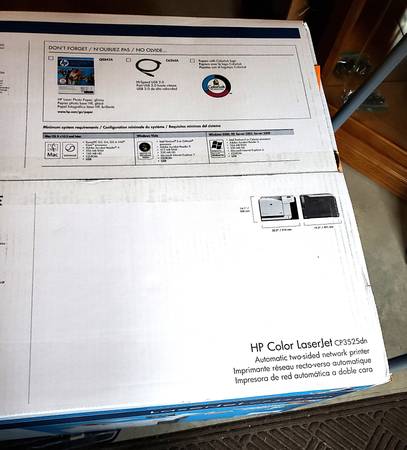
HP Color Laser Jet printer model CP3525dn. Brand new in original box. Never used.
Excellent for small business.
Cash only. Buyer must transport.
100 sheet multipurpose input tray (Tray 1)
250 sheet input tray (Tray 2)
250 sheet, face-down output bin
384 megabytes (MB) of random access memory (RAM)
Automatic 2-sided printing
Print Speed Black and White and Color: Up to 30 ppm, Letter
Hi Speed USB 2.0 Port for Easy Direct Connections
EIO Expansion Slot for Optional Networking, storage, and Connectivity Options
HP Jetdirect Gigabit Ethernet Embedded Print Server
PRODUCT INFORMATION
Speed and throughput
• Print up to 30 pages per minute (ppm) on letter-size paper and 30 ppm on A4-size paper.
• As quick as 12 seconds to print the first page
• Recommended maximum monthly print volume of 5,000 pages
• A 515 megahertz (MHz) microprocessor
Resolution
• 600 dots per inch (dpi) with Image Resolution Enhancement technology 3600 for optimum overall imaging
• 1200 x 600 dpi for detailed line work and small text
Memory
• HP Color LaserJet CP3525: 256MB of random-access memory (RAM), expandable to 1 gigabyte (GB) by adding into the open DIMM slot 200-pin small outline dual inline memory modules (DDR2 SODIMM) that support 128MB, 256 MB, 512 MB, or 1 GB of RAM.
• Memory Enhancement technology (MEt) automatically compresses data to use RAM more efficiently.
User interface
• Four-line color graphical display on the control panel
• An embedded Web server to gain access to support and order supplies (for network-connected products)
• HP Easy Printer Care software (a Web-based status and troubleshooting tool)
• Internet-enabled supply-ordering capabilities through HP Easy Printer Care software and embedded Web server
Paper-handling
• Tray 1 (multipurpose tray): A multipurpose tray for paper, transparencies, labels, envelopes, and other paper types. The tray holds up to 100sheets of paper, 50 transparencies, or 10 envelopes
• Tray 2: 250-sheet tray.
• Optional Tray 3: 500-sheet paper and heavy media tray, and an optional HP Postcard media insert. (Both are included with the HP Color LaserJet CP3525x printer.) Holds standard and custom-size paper. This tray automatically detects common paper sizes.
• Two-sided printing: The HP Color LaserJet CP3525dn printer and HP Color LaserJet CP3525x printer support automatic two-sided printing. The other models support manual two-sided printing.
• Standard output bin: The standard output bin is located on the top of the product. This bin can hold up to 250 sheets of paper. The product has a sensor that indicates when the bin is full.
Languages and fonts
• HP Printer Control Language PCL 5, PCL 6, and HP postscript level 3 emulation
• Direct PDF
• 80 scalable TrueType PS typefaces
Print cartridges
• For information regarding print cartridges, see www.hp.com/go/learnaboutsupplies.
• Authentic HP print cartridge detection
• Automatic toner strip remover
• This product uses the following consumable supplies:
o Standard black print cartridge: CE250A
o High-capacity black print cartridge: CE250X
o Cyan print cartridge: CE251A
o Yellow print cartridge: CE252A
o Magenta print cartridge: CE253A
o Toner collection unit: CE254A
Supported operating systems
• Microsoft Windows 2000, Windows XP, Windows Vista™, Windows Server 2003, and Windows Server 2008
• Macintosh OS X V10.3.9, V10.4, V10.5, and later
• Novell NetWare
• Unix
• Linux
Connectivity
• USB 2.0 connection
• Host USB 2.0-like port for third-party connection
• Local area network (LAN) connector (RJ-45) for the embedded HP Jetdirect print server (not included with the HP Color LaserJet CP3525 printer)
• One enhanced input/output (EIO) slot
Environment
• Sleep setting saves energy
• High content of recyclable components and materials
• Instant-on fuser saves energy
Security
• Secure Disk Erase
• Security lock (optional)
• Job retention
• User PIN authentication for stored jobs
• IPsec security
• HP encrypted High Performance EIO hard drive (optional)
Self-help
• Show-me-how pages that you can print from the control panel
• Job aids for specific tasks available from www.hp.com/support/cljcp3525.
• Animations and help on the control panel
• Animations on the CD